
You are using an out of date browser. It may not display this or other websites correctly.
You should upgrade or use an alternative browser.
You should upgrade or use an alternative browser.
Do you guys know how to disable all CPU mitigations in Windows?
- Thread starter ttx9
- Start date

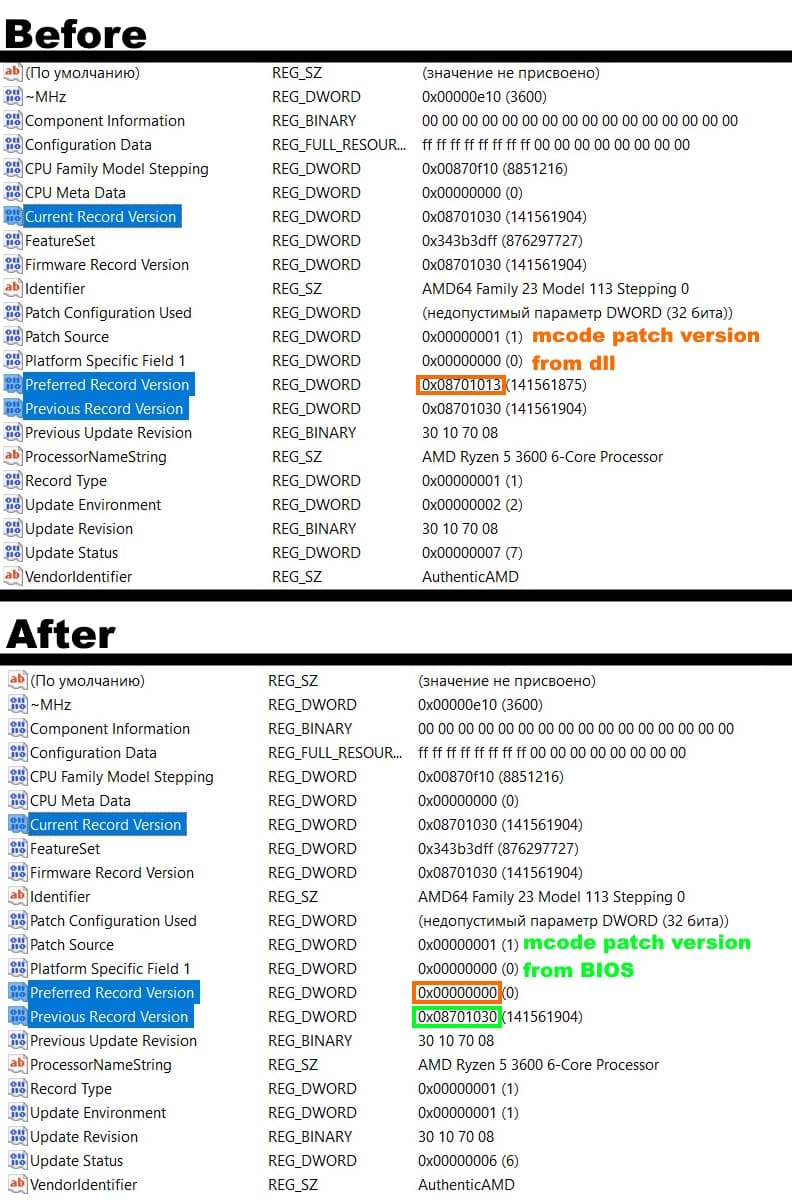
Update: Just wanted to say that you can not use empty files for this. Windows seems to perform some sort of check on these files. If I replace mcupdate_AuthenticAMD.dll with an empty file windows won't boot on next restart. However replacing it with the intel dll and renaming it works.Since Windows 11 24h2, for an Intel CPU, you delete (or rename as you wish) the mcupdate_GenuineIntel.dll file and rename the mcupdate_AuthenticAMD.dll file to mcupdate_GenuineIntel.dll
Do the opposite with an AMD CPU.
Alternatively, you can also use a empty .txt file, eg, that you rename to mcupdate_GenuineIntel.dll (with the .dll extension) for Intel
And mcupdate_AuthenticAMD.dll for AMD
And in NTlite, you just need to keep the "Processor microcode update (xxxx)" component associated with the CPU
=> Processor microcode update (AMD) for AMD, eg
If you want to "mod" the DLL, it's best to rename it afterwards
[Win11 24H2] I cannot delete mcupdate_GenuineIntel.dll
I’ve had some success getting rid of mcodes that Windows provides during boot, still can’t edit DLLs though. See spoiler. ▶ Spoiler: WIndows 11 build 26100 on AMD rig All I did was rename the dll for Intel to AMD and vice versa. Windows doesnt enter automatic repair mode and boots fine. AMD...
 winraid.level1techs.com
Forgot to mention this is on 24h2 build 216100.1742. Regardless though these do NOT work for disabling the always on STIBP on zen3 unfortunately. I am now exploring BIOS editing and changing model-specific registers.Thanks for info
I tried it once at the very beginning of the 24h2, with an Intel CPU.
From what I remember, it was good... Or maybe not.
But I haven't tried it since, I always use the AMD file renamed to Intel.
scaramonga
Active Member
- Messages
- 214
- Reaction score
- 48
InSpectre still works on LTSC 24H2 
Meltdown, no.

Meltdown, no.
InSpectre doesn't disable STIBP.
scaramonga
Active Member
- Messages
- 214
- Reaction score
- 48
Of course it don't.InSpectre doesn't disable STIBP.
Same as it was before.I'm also interested in AMD, if anyone has an update on the procedure or if renaming and applying the .Reg is still working. I haven't updated my BIOS since 2022 because of these security updates.
Discussion: Spectre and Meltdown Mitigation
The AMD-specific mitigations are NOT enabled by default, you must add certain reg values in order to enable them. If you don't do anything, they're not activated. Otherwise those two reg values will disable the generic mitigations.
If you're really bored and want to read the entire list, skip down to the FAQ sections:
KB4072698: Windows Server and Azure Stack HCI guidance to protect against silicon-based microarchitectural and speculative execution side-channel vulnerabilities