Missing TPM Device Driver

WizKid

Member
Messages
45
Reaction score
3
I'm getting a a notification on the drivers page that says I'm missing the Pluton security processor driver from my config:

1748465191222.png

I looked in the properties for the device, and can't find an INF file.

What component do I need to keep?
 

Attachments

This part of the UI design is a bit confusing, so you're reading those alert notifications as backwards.

Your loaded image is missing some of the drivers inventoried on the current NTLite host. It's a helpful reminder to import the existing drivers from the host into the current image if you wanted to re-install Windows on this PC again.

Licensed NTLite users can simply use the host driver import feature. While free users can manually export 3rd-party drivers with a "pnputil /export-driver" command, and import them from the saved drivers folder.
 
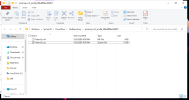
I knew that. I've found the driver file ("PlutonQc.sys") in the Windows Driver Store:

1748526858442.png

The question is why isn't NTlite picking it up from the DriverStore?

I solved it by copying the files from said directory to a local directory and adding that to the driver integration queue,

I also copied "C:\Windows\INF\PlutonQc.PNF" to the same directory for good measure.
 
Last edited:
Back
Top